
创建Sass文件
也是新建文件,后缀名改为 .scss或者 .sass ,这两种后缀名都属于 Sass语法,只是两者所使用的语法有些不同。
- scss 文件的语法有缩进,用花括号表示层级关系。
/*test.scss*/
#box {
    width: 160px;
    height: 200px;
    background: firebrick;
    .child {
        width: 50px;
        height: 50px;
        background: #666;
        border-radius: 50%;
    }
}
编译Sass文件
/*在你的文件目录下打开终端*/
scss test.scss
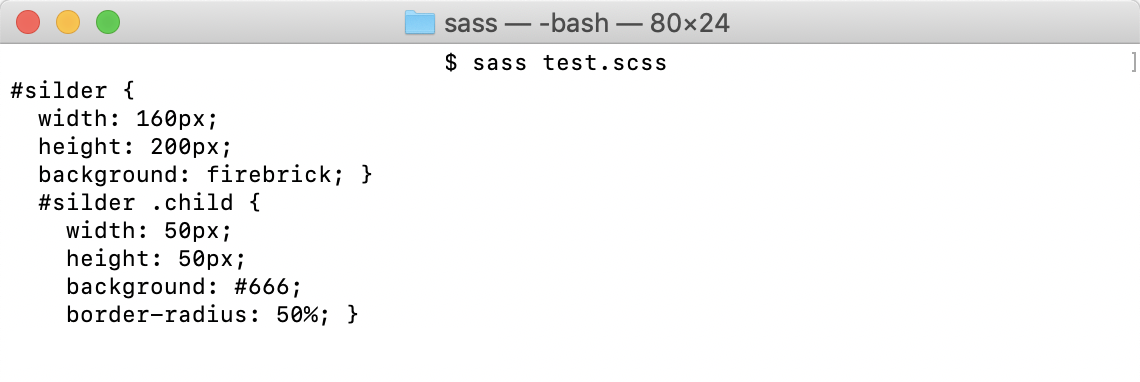
当然这只是在终端编译的,在项目中,我们是需要将显示结果保存成文件,后面再跟一个.css文件名。
/*在你的文件目录下打开终端*/
sass test.scss test.css
然后就会在你的目录下面,多出一个 test.css 和 test.css.map 。在项目中,我们使用的就是编译后的 .css 文件。
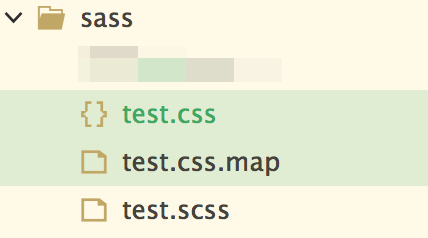
scss文件是源文件,网页呈现的是css样式表文件,scss文件通过编译生成css文件,css.map文件是对照表文件。
编译风格
Sass有四种编译风格
    * nested:嵌套缩进的css代码,它是默认值。

  * expanded:没有缩进的、扩展的css代码。

  * compact:简洁格式的css代码。

  * compressed:压缩后的css代码。
用法
sass --style 编译风格 test.sass test.css
编译后的代码如下
/*nested*/
#box {
  width: 160px;
  height: 200px;
  background: firebrick; }
  #box .child {
    width: 50px;
    height: 50px;
    background: #666;
    border-radius: 50%; }

/*# sourceMappingURL=test.css.map */
/*expanded*/
#box {
  width: 160px;
  height: 200px;
  background: firebrick;
}
#box .child {
  width: 50px;
  height: 50px;
  background: #666;
  border-radius: 50%;
}

/*# sourceMappingURL=test.css.map */
/*compact*/
#box { width: 160px; height: 200px; background: firebrick; }
#box .child { width: 50px; height: 50px; background: #666; border-radius: 50%; }

/*# sourceMappingURL=test.css.map */
/*compressed*/
#box{width:160px;height:200px;background:firebrick}#box .child{width:50px;height:50px;background:#666;border-radius:50%}
/*# sourceMappingURL=test.css.map */
平时项目中,采用最后一种方式就可以了。
也可以让SASS监听某个文件或目录,一旦源文件有变动,就自动生成编译后的版本。
// watch a file 监听文件
sass --watch input.scss:output.css

// watch a directory 监听目录
sass --watch app/sass:public/stylesheets